How to View Details for an Assignment
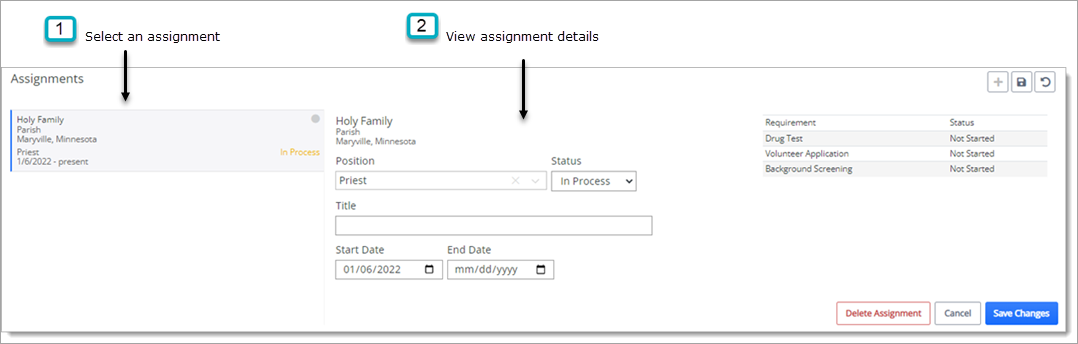
This topic lets you view details associated with an assignment an individual's profile. For example, you can view the assignment's start and end dates and any requirements associated with the assignment.
 You must have Individual Assignments + View Detail permissions to view an individual's assignment details.
- On the Home page, click the Individuals tile to open the Individuals page.
- Find the person whose assignment details you want to view. If your list is long, use the search features to find the person you are looking for.
- Click an individual's name link to open their record.
- Scroll down to the Assignments panel.
The left pane lists the individual's current assignments.
- Select the desired assignment to view details for it in the right pane, as illustrated below: